

bach.toml, run bach build, and get a single Setup.exe. Your users see one calm window in their own language. You get updates over older installs and an uninstaller in Settings › Apps, without writing any installer logic.
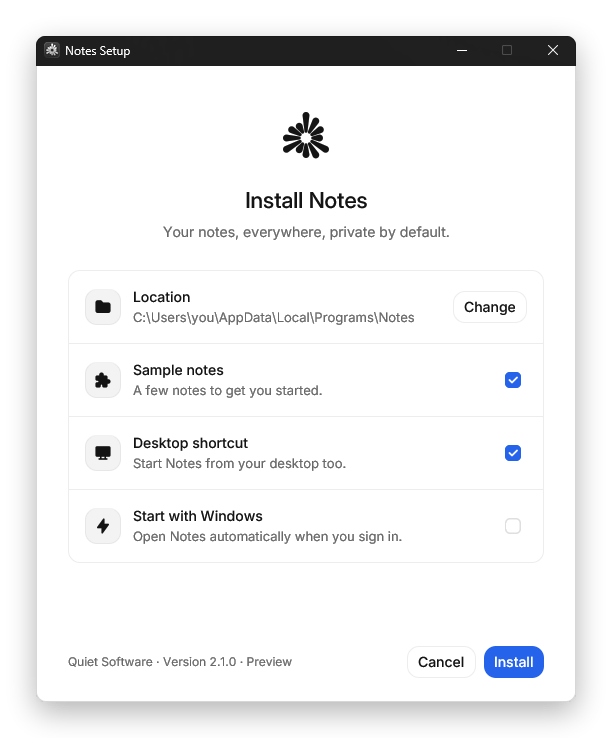
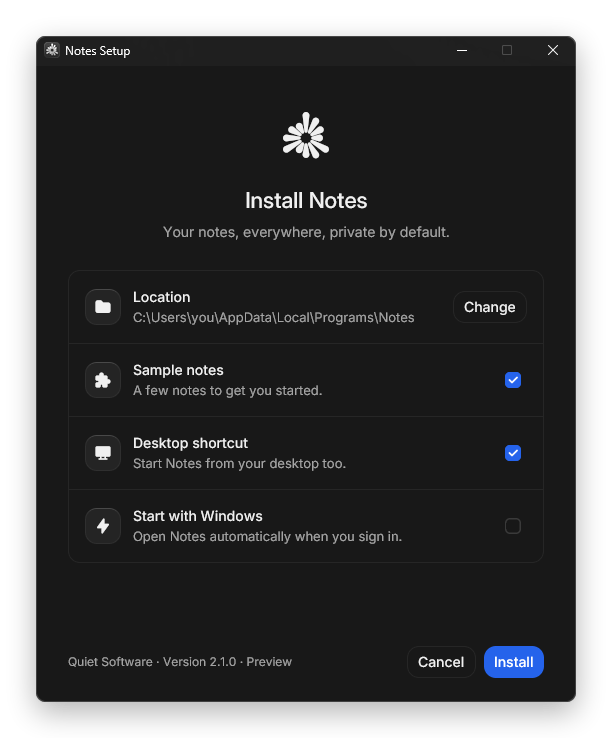
The install window in light and dark mode.
The whole workflow
bach.toml
Start here
Quickstart
Go from an app on your disk to a Setup.exe in about five minutes.
Install Bach
PowerShell, macOS and Linux, Scoop, a zip file or the GitHub Action.
All features
Everything Bach can do on one page, grouped by what you want to achieve.
Why Bach
What Bach does differently, and when to use something else.
bach.toml reference
Every setting Bach reads, with defaults and examples.
What you get
No script language
Everything is a setting in one TOML file with an editor schema. Every mistake is reported as one sentence naming the setting at fault.
No administrator prompt by default
Apps install per user into
%LOCALAPPDATA%\Programs and only write to the user’s own folders and HKCU. For every user of a computer, scope = "machine" installs into Program Files after one Windows prompt.Updates that cannot half-fail
A newer setup file updates an install in place. Files are unpacked first and swapped in together; if one is locked, everything is put back.
A window people can read
19 languages built in, following the Windows display language, with light and dark mode and every text replaceable.
Builds anywhere
The
bach command runs on Windows, macOS and Linux, so installers can come out of any CI. Setup files need no .NET and no Visual C++ runtime.Safe by construction
Packaged paths cannot leave the install folder, and the uninstaller removes only what it installed.
What setup files can do
A short overview. All features has the full list with a link to each page.How these docs are organized
Guides
Task-focused walkthroughs: prepare your app, write the config, customize the window, ship updates, sign and automate.
Reference
Every
bach.toml setting, every bach command and every flag a setup file understands.Resources
Troubleshooting, FAQ, changelog, security policy and how to contribute.